LumenCache ReNetA, part by part
ReNetA is a low-voltage (Class 2) 48 V DC system for lighting and more. Power comes from a power supply, a battery or solar, and one CAT5/6 cable carries the power, the control data and 12 V for switches and sensors to every device. Every connector is hot-pluggable: parts go in without tools and without shutting the system down, and each part checks that the next one matches before any power flows.
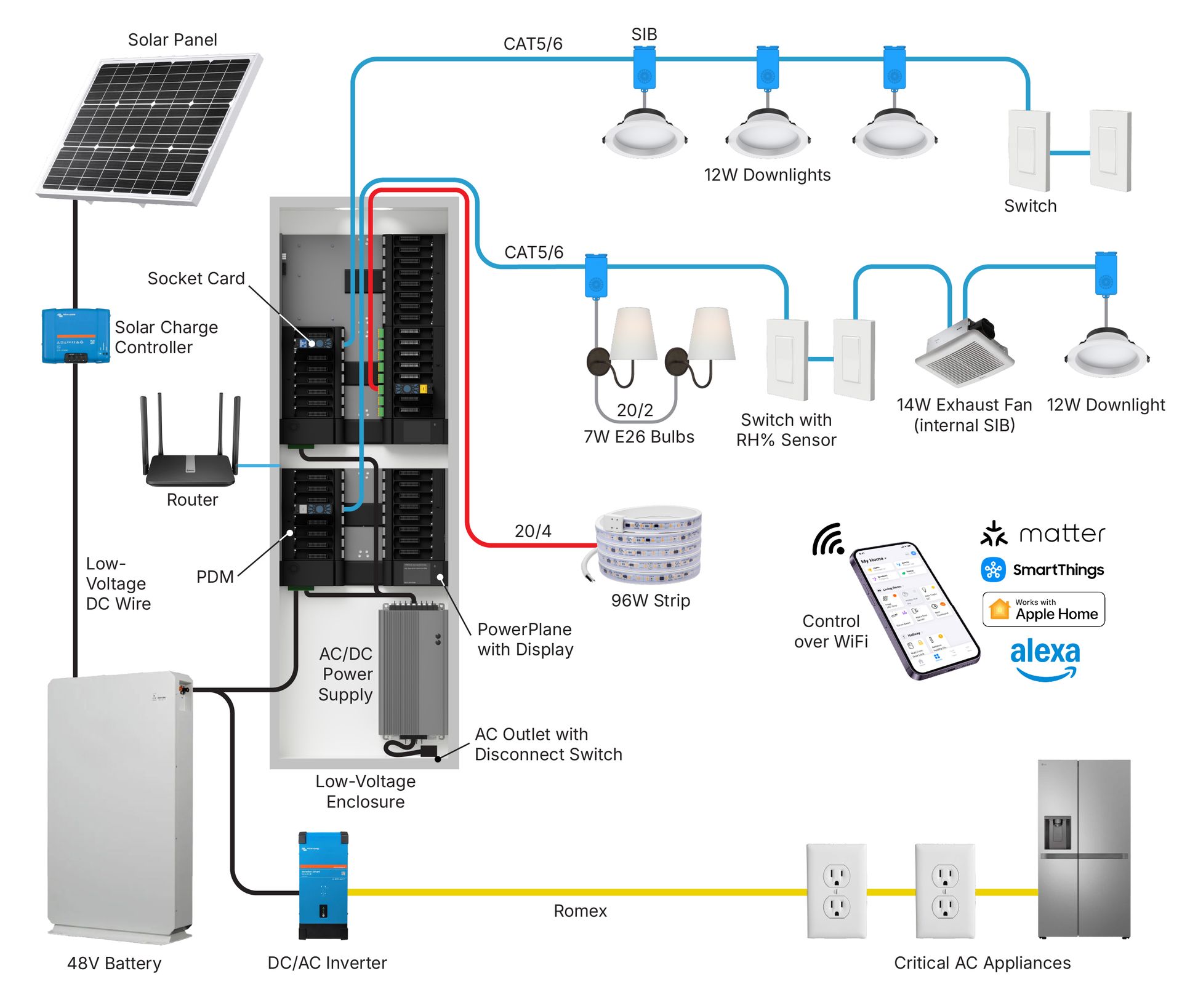
Practice on a one-bedroom apartment: plan its lights, learn what each part of the system is, connect a practice power plane, test it and use the remote. A coach shows each move. Pro and Expert tutorials are there too, for installers. Nothing real is switched. Your practice project is kept in this browser for two weeks. Create an account to keep your progress for good, and your practice project as long as you use it.
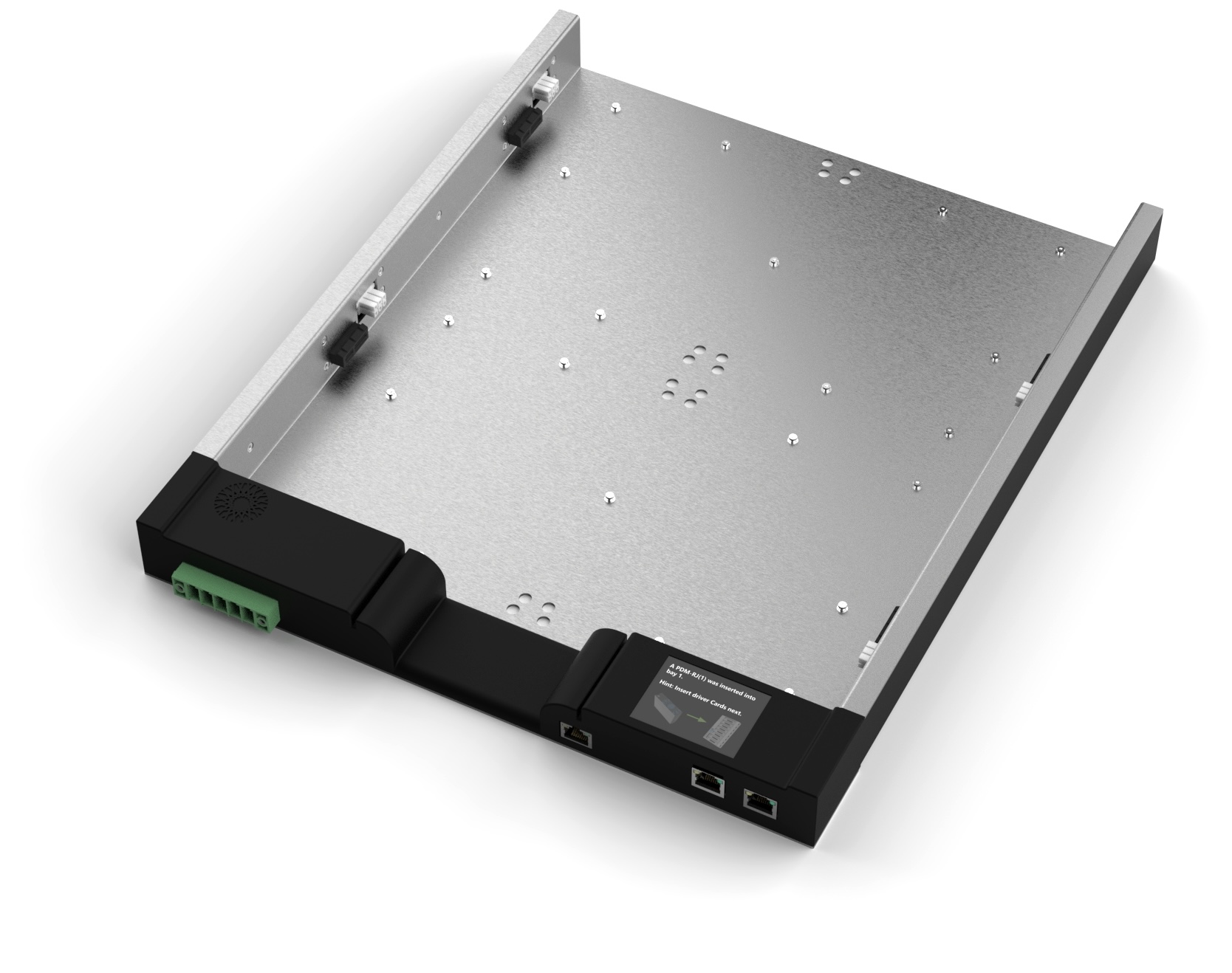
Power plane
The backplane of a ReNetA system. It mounts in a low-voltage wall enclosure, takes 48 V DC in (from a power supply, a battery or a solar system) and shares it with the PDMs snapped onto it. Its computer runs the system: it takes commands from the web interface, MQTT, WebSockets and Matter, and talks to the other power planes over Ethernet or Wi-Fi.
Full specs on lumencache.com →Key specs
| Input | 42-58 V DC (48 V nominal), 5-pin connector up to #4 AWG |
|---|---|
| Power | 640 W per PDM bay: PP-1 640 W, PP-2 1,280 W, PP-4 and PP-6 2,400 W |
| Input current | PP-1 / PP-2 20 A, PP-4 / PP-6 40 A (above 30 A use both Vin/GND pairs) |
| Network | 1 Gb Ethernet, Wi-Fi 6, Bluetooth LE, Matter, 2 CAN/RS-485 ports |
| Display | 2.8 in touch screen with an SD card slot (not on the PP-1) |
| Protection | Under-voltage lockout, over-voltage and over-current protection |
| Size | PP-2 9.5 x 14 in, PP-4 17 x 14 in, PP-6 24.75 x 14 in; 3.75 in deep with PDMs |
| Rating | IP20, -40 to 95 °F, UL2108 / UL60730 |
How to use it
- Mount it in the enclosure and land the 48 V feed on the green connector. Mistakes only cause a temporary fault, and the display says what's wrong.
- Connect it to the internet over Wi-Fi or Ethernet (steps below) so it reaches the broker.
- Snap PDMs into the bays: no tools, no need to power down.
- Once it's powered up, its screen shows the last 8 characters of its UUID. To get a system assigned to you, send us those 8 characters with Get access; the full UUID comes with your access details.
Connect it to the internet (Wi-Fi or Ethernet)
Over Wi-Fi
- Plug the power plane into 48 V and let it start up.
- On a phone or laptop, open the list of Wi-Fi networks. The power plane shows up there with its own network: join it. The password is
password. - A setup page should open by itself. If it doesn't, open a browser and go to
192.168.4.1. - Pick the Wi-Fi network the power plane should use (2.4 GHz is preferred), enter that network's password, and press Connect.
- Check it worked: on the power plane's screen, open WLAN and make sure it shows an IP address, for example
192.168.1.57. No address means it isn't connected yet.
Over Ethernet (LAN)
- Run an Ethernet cable from the router or a network switch to the bottom-left RJ45 jack on the underside of the power plane.
- That's all: it picks up an address from the router by itself.
Models
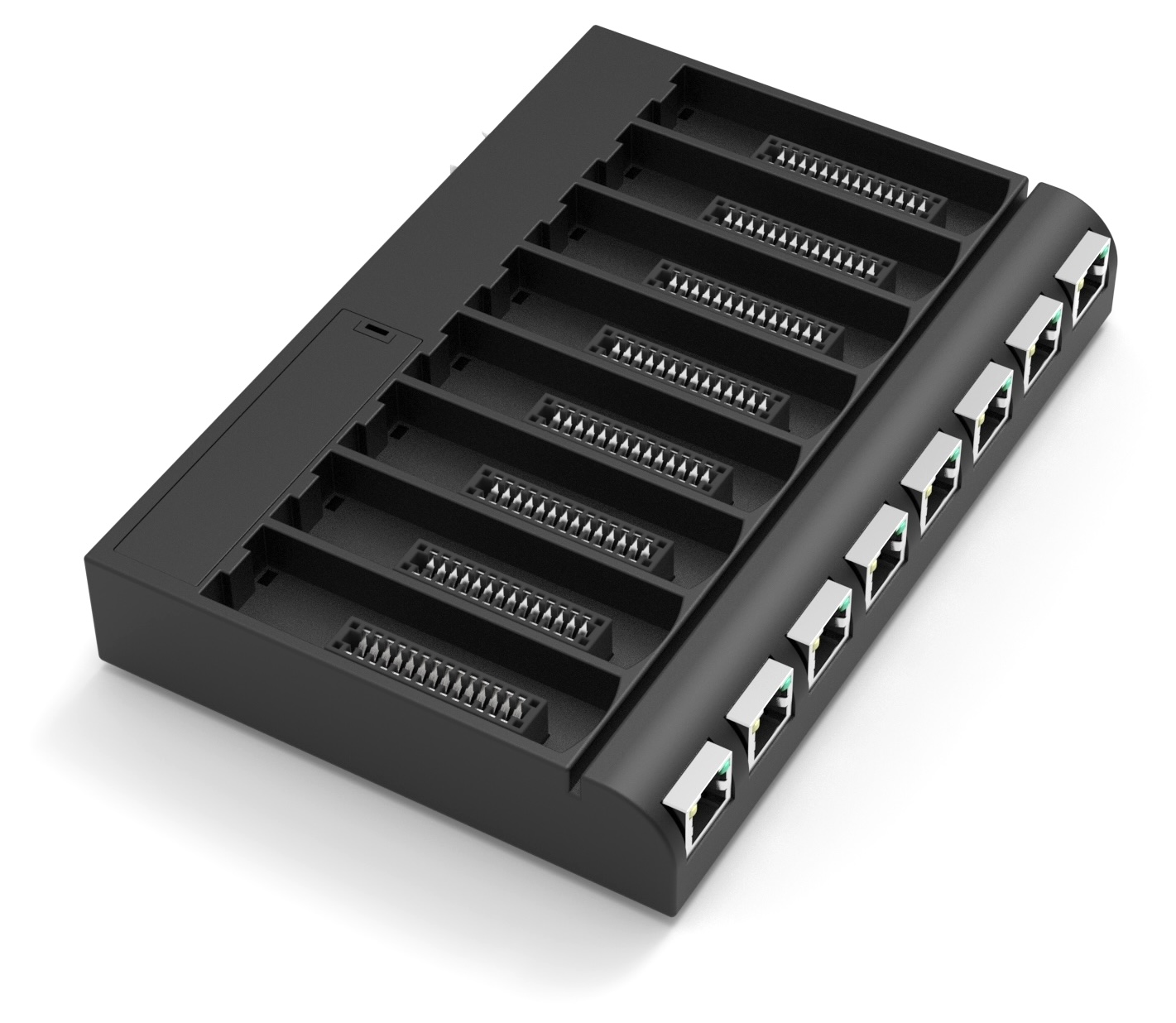
Power Distribution Module (PDM)
Snaps onto a power plane and feeds eight socket-card ports. Before it powers a port it checks that the card, the SIBs and the fixtures down the line all match, then keeps watching the power on every port and cuts it if anything leaves the safe range.
Full specs on lumencache.com →Key specs
| Ports | 8 socket-card sockets, each with its own output jack |
|---|---|
| Power | 640 W per PDM; up to 80 W per port on the PDM-R, 90 W on the PDM-H |
| Input | 42-58 V DC, 13 A max; standby 0.3-1 W |
| Indicators | An RGB light for every socket and every port; temperature and humidity sensors |
| Extras | Gateway expansion slot (the "9th slot"), SD card, Wi-Fi, CAN bus |
| Safety | Hot-swap sockets, soft start, over/under-voltage, over-current, reverse current |
| Size | 7.5 x 5 x 1.25 in |
| Rating | IP20, -40 to 95 °F, UL2108 |
How to use it
- Pick the PDM-R (RJ45 jacks) unless you need screw headers: it's the easier install, and the only one switches can plug into.
- The PDM-H takes 2- or 4-wire cable up to 16 AWG on removable headers.
- Snap it into a free bay on the power plane.
Models
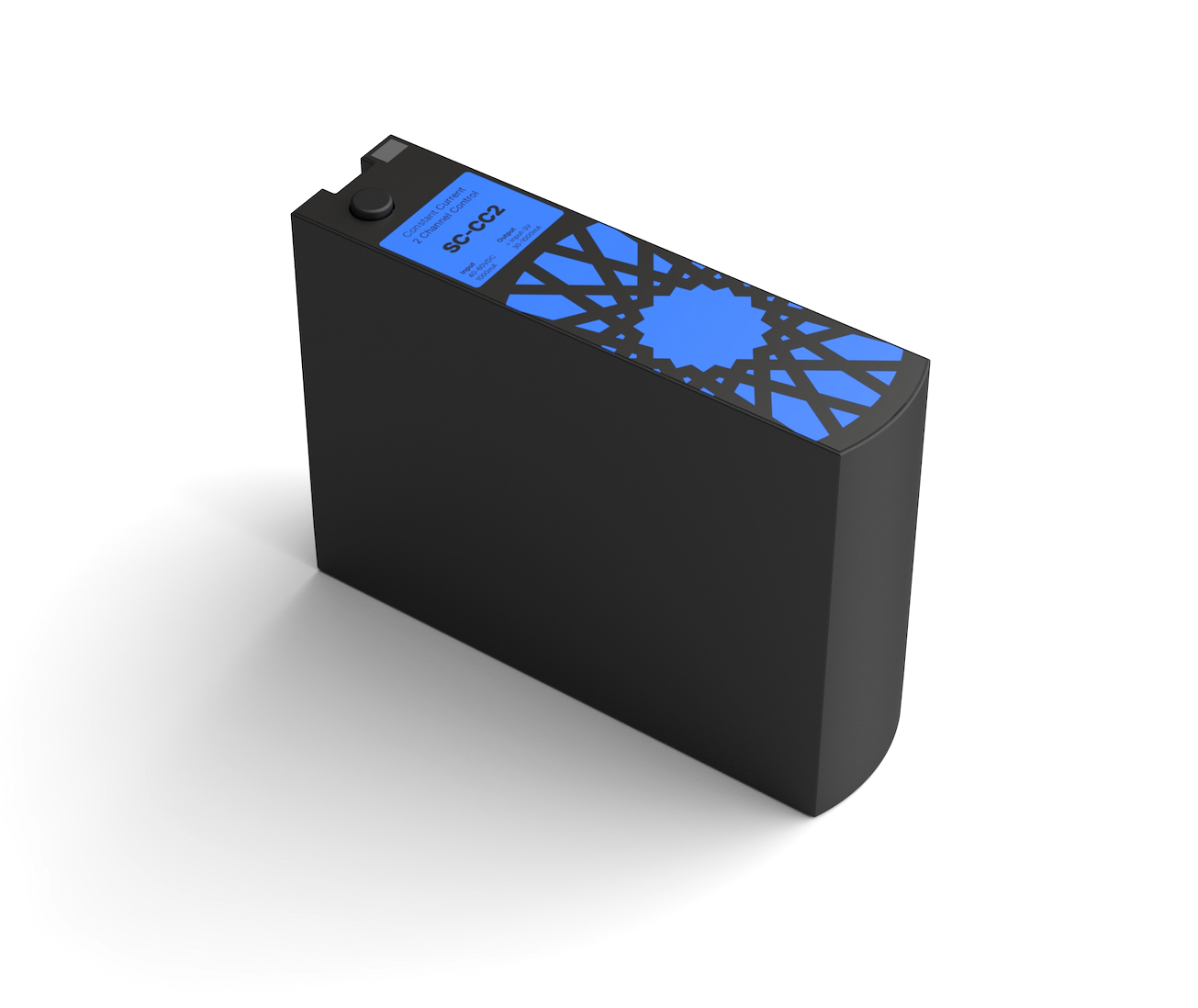
Socket cards
The driver for one port. A card turns the PDM's 48 V into what the devices on that cable need, and it's the part most likely to need servicing, so it sits in the panel instead of above a ceiling. The number in the name is its channel count; the last part is its wattage.
Full specs on lumencache.com →Key specs
| SC-CC2-50W | Constant current for bare LEDs (most downlights). 2 channels (tunable white), 25 W and up to 650 mA per channel. Every fixture on the run must be identical. |
|---|---|
| SC-PV2-50W | PWM-dimmed 48 V for strips and bulbs that regulate themselves. 2 channels, 50 W, 4,095 dim steps |
| SC-CV1-90W | Constant-on 48 V for active SIBs, so different loads can share one run. 1 channel, 90 W, up to 1.2 A |
| All cards | 42-58 V DC in, a set/select button and an indicator light; 3.25 x 2.25 x 0.75 in; UL1310 |
| Indicator | Dim green = fine, yellow = configuration problem, red = fault (count the flashes) |
How to use it
- Choose by the load: bare LEDs → SC-CC2, 48 V strips and bulbs → SC-PV2, a mix of devices on one cable → SC-CV1 with active SIBs.
- Pop it into a PDM socket, no tools.
- Lights on a CC or PV card work as one group; for individual control use SC-CV1 and active SIBs.
Models
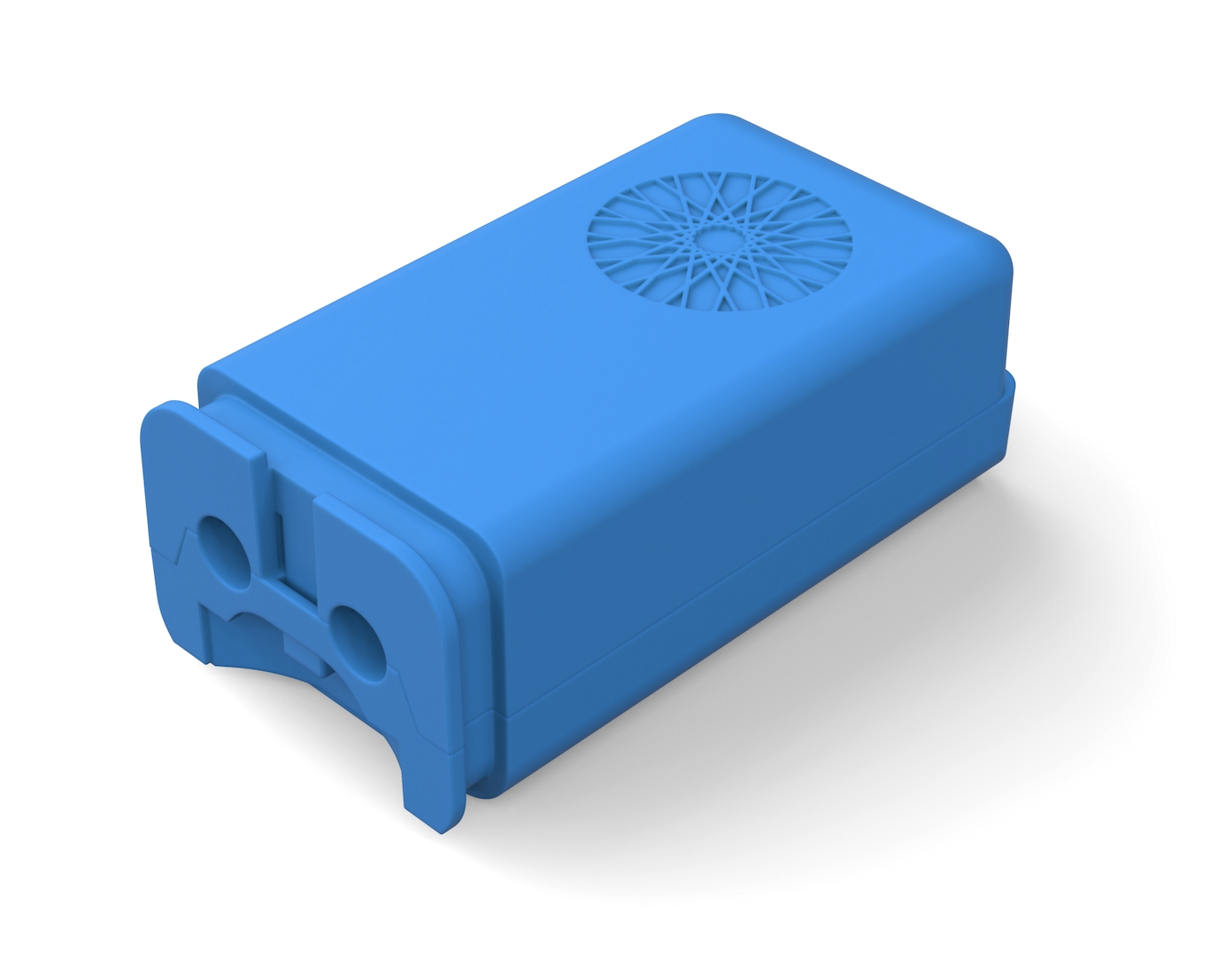
Smart Interface Blocks (SIBs)
The small blue block at each fixture. It connects the CAT cable to the fixture, tells the socket card what's attached and what it needs, and only then lets power through. LumenCache and partner fixtures come with their SIB already programmed.
Full specs on lumencache.com →Key specs
| Passive (SIB-P2) | Passes the card's power straight to the fixture. For SC-CC2 and SC-PV2. 60 W at 48 V, up to 1.2 A. Controlled with the rest of the run. |
|---|---|
| Active (SIB-A) | Has its own driver, so each one is controlled on its own. Needs an SC-CV1. E.g. SIB-A-PV5-60W (5 PWM channels), SIB-A-CC2-25W. |
| Externally powered (SIB-EP) | Takes load power from a separate 12-48 V feed on 16/2 wire; the CAT cable only carries data. Works with any card. E.g. SIB-EP-PV5-ID-300W: 300 W across 5 channels. |
| Chaining | Two RJ45 jacks; up to 8 devices on a bus (SIBs and switches together), within the card's wattage |
| Options | Digital input/output, humidity/temperature, CO2, motion and light sensors; -L, Decora (-D) and -SOCKET shapes |
| Size | 3.5 x 1.75 x 1.25 in, fits a 2 in opening |
How to use it
- Lift the top cover and land the fixture wires on the green screw terminal.
- Daisy-chain to the next SIB or switch with the second RJ45 jack.
- Match the SIB to the card: passive with CC/PV, active with CV1, externally powered with any.
- For your own (non-LumenCache) fixtures, the power plane asks for the fixture's specs and you confirm it works the first few times it's switched on.
Models
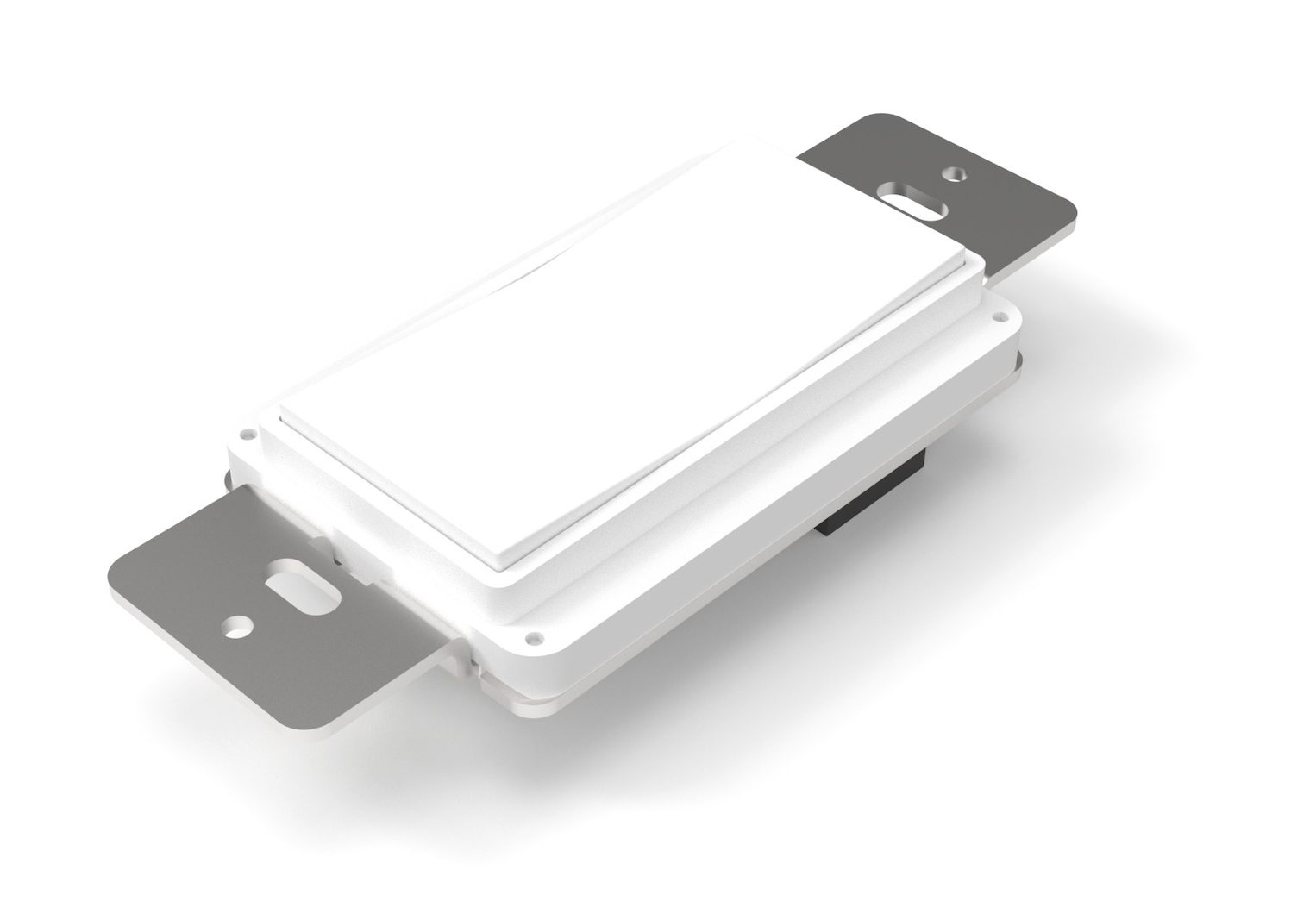
Switches
Decora wall switches that send commands instead of switching power: nothing on them carries 48 V. Tap the top for on, the bottom for off, hold to dim or brighten. Any number of switches can control the same lights, so there's no such thing as a 3-way switch.
Full specs on lumencache.com →Key specs
| Buttons | Top and bottom momentary; tap, hold and sequences are all configurable |
|---|---|
| Color | Hold top and bottom 3 s for white tuning (top cooler, bottom warmer); hold 5 s to go back to the default |
| Wiring | Two RJ45 jacks; anywhere on the cable. A bus takes up to 8 devices, SIBs and switches together |
| Standby | 0.05 W |
| Rating | IP21, washdown resistant, -40 to 95 °F, UL2108 / UL60730 |
| Size | Standard Decora plate; 1 x 1.25 x 1.1 in |
How to use it
- Plug the switch into the run's cable, before, between or after the fixtures.
- A switch can control any fixtures in the system, on any port or power plane, not just the ones on its own cable. You choose what each button controls by putting the switch in zones.
- Switches only work on the PDM-R (RJ45).
Models
Cable
A ReNetA run is one cable from a PDM port through every SIB and switch on it. Pick the cable by what the run has to carry:
| Cable | Use it for | What it carries | How to connect it |
|---|---|---|---|
| CAT5e 24 AWG, solid copper | Almost every run: socket card to the SIBs and switches on it. | 48 V power, 12 V for switches and sensors, and data, all in one cable. Up to 50 W per run. | PDM-R jack → SIB or switch; daisy-chain with each SIB's second jack. |
| CAT6 23 AWG, solid copper | Runs close to the limit, or long runs, where the thicker conductors help. | The same as CAT5e, up to 60 W per run. | The same as CAT5e. |
| 16/2 + CAT5e run side by side | Externally powered SIBs (SIB-EP): high-power strips and anything above what the socket card can carry. | The 16/2 carries the load power (12-48 V, up to 300 W per SIB-EP); the CAT5e only carries data from the socket card. | 16/2 from a power supply (or the panel's 48 V) to the SIB-EP's power IN terminal, and on from its OUT terminal to the next SIB-EP. CAT5e from the PDM-R as usual. |
| 16/2 two conductors | USB-C outlets (up to 200 W each; a few can share one 16/2 home run and balance the load between them over the CAT data), and 2-wire loads on a PDM-H header. | Power only. Two conductors: + and -. | Power supply or PDM-H header → the device. The PDM-H header takes up to 16 AWG. |
| 18/4 four conductors | PDM-H header runs straight to strips or bulbs that regulate themselves, with no SIB, e.g. tunable-white strip (+, warm, cool) or multi-channel strip. | Power only; the socket card does the dimming. Use 16/4 when the run is long or heavily loaded (see voltage drop below). | PDM-H header → the strip or fixture. No switches on header runs: they need RJ45. |
Rules for every run
- Solid copper for everything inside walls and ceilings. Stranded patch cords only for short patching.
- Stay under two limits: the cable's (CAT5e 50 W, CAT6 60 W) and the socket card's (SC-CC2 and SC-PV2 50 W, SC-CV1 90 W). The lower one wins, so an SC-CV1's 90 W is only for an 18/4 run, never cat cable.
- Two fixtures per run is the sweet spot: the most efficient, and daisy-chaining keeps it economical. Up to 4 is normally fine as long as the wattage allows. Beyond that, voltage drop climbs steeply, so start another run.
- Eight devices to a bus at most, SIBs and switches together, daisy-chained through their two RJ45 jacks, in any order. Mind the fixture count above. No splices or taps.
- Terminate T568B at both ends and test every run with a cable tester before it goes into a PDM.
- Use the right jacket for the space: CMR in walls and between floors, CMP in plenum (air-handling) spaces.
- Label both ends with the bus's wire label, as its line drawing shows it.
Voltage drop on power wiring
Drop = current × the resistance of the wire there and back. At 48 V, 300 W is 6.25 A: on 50 ft of 16/2 (100 ft there and back, 0.40 Ω) that's about 2.5 V (5%); at 100 ft it's 5 V (10%), so move up to 14/2 or feed from a closer power supply. Keep drop under about 5%.
| AWG (copper) | Ω per 1,000 ft, one conductor | Drop at 1 A over 50 ft of cable |
|---|---|---|
| 18 | 6.39 | 0.64 V |
| 16 | 4.02 | 0.40 V |
| 14 | 2.53 | 0.25 V |
How runs are wired
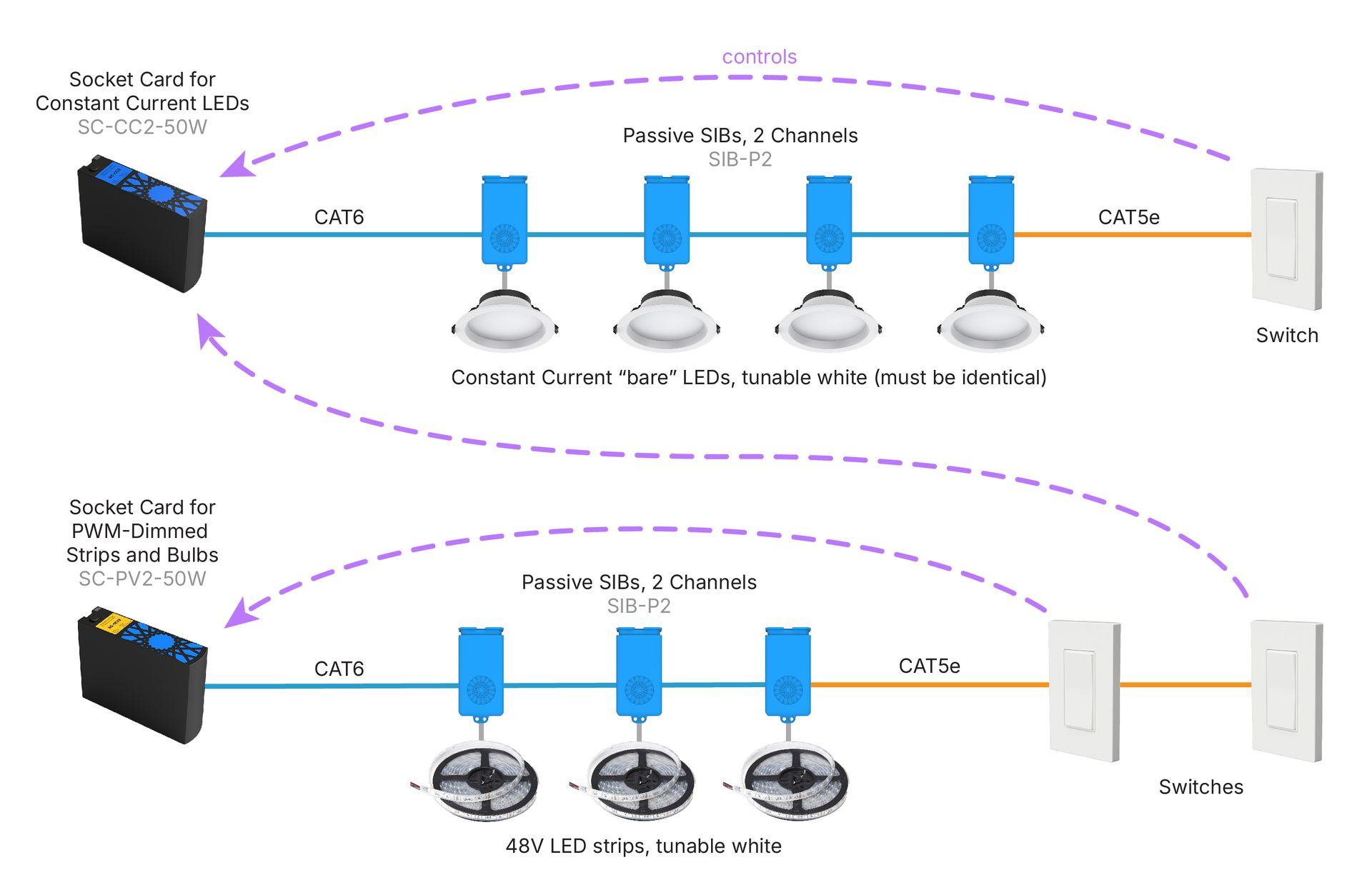
One socket card (SC-CC2 or SC-PV2) and passive SIBs. Every light on the cable works as one group, and a switch on any run can control it. Two fixtures per run is best; up to four is normally fine.
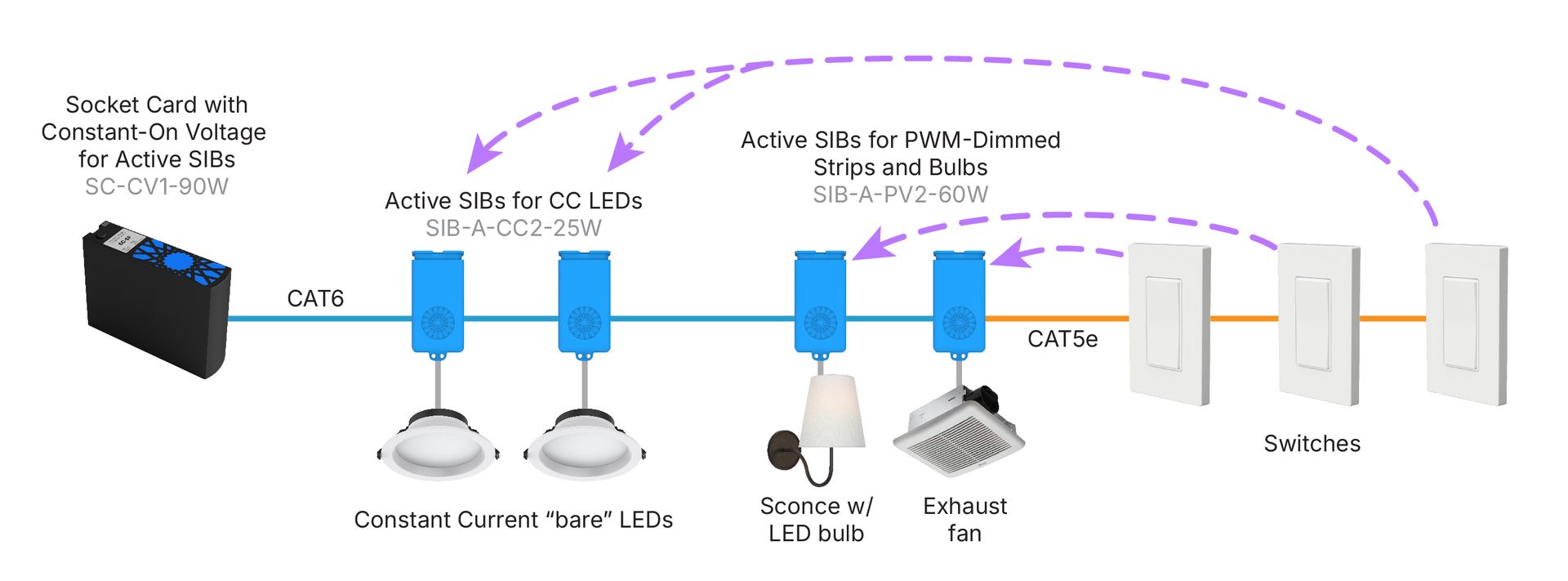
An SC-CV1 and an active SIB at each device (a bathroom: lights, a fan, a strip). Each device is controlled on its own.
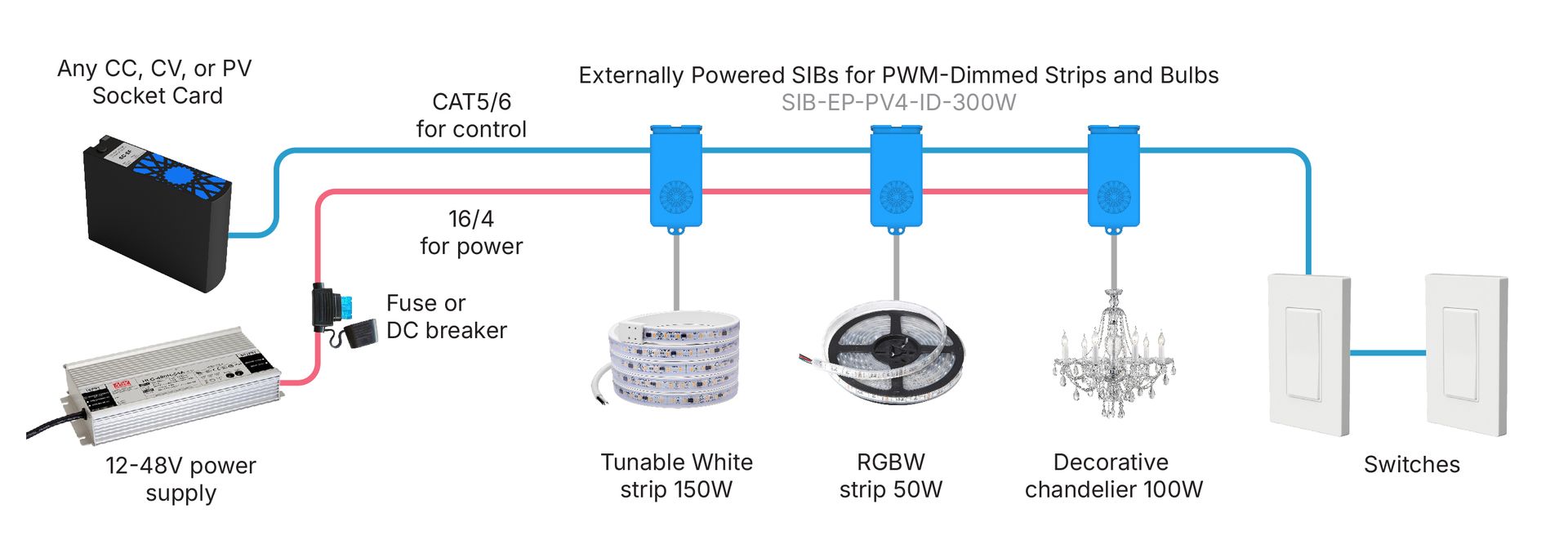
Externally powered SIBs take their load power from a 16/2 wire run alongside the CAT cable, for more than the cable can carry (up to 300 W per SIB).
Specs are from LumenCache's Component Specifications and System Overview, correct as published; LumenCache may change them without notice. Product pictures © LumenCache, shown from lumencache.com.